Structured data
Inspect detected schema in tree or code views and review available validation results.
Open Schema in the content panel. SERP Lens groups the structured data detected on the active page and provides tree and code views for inspection.
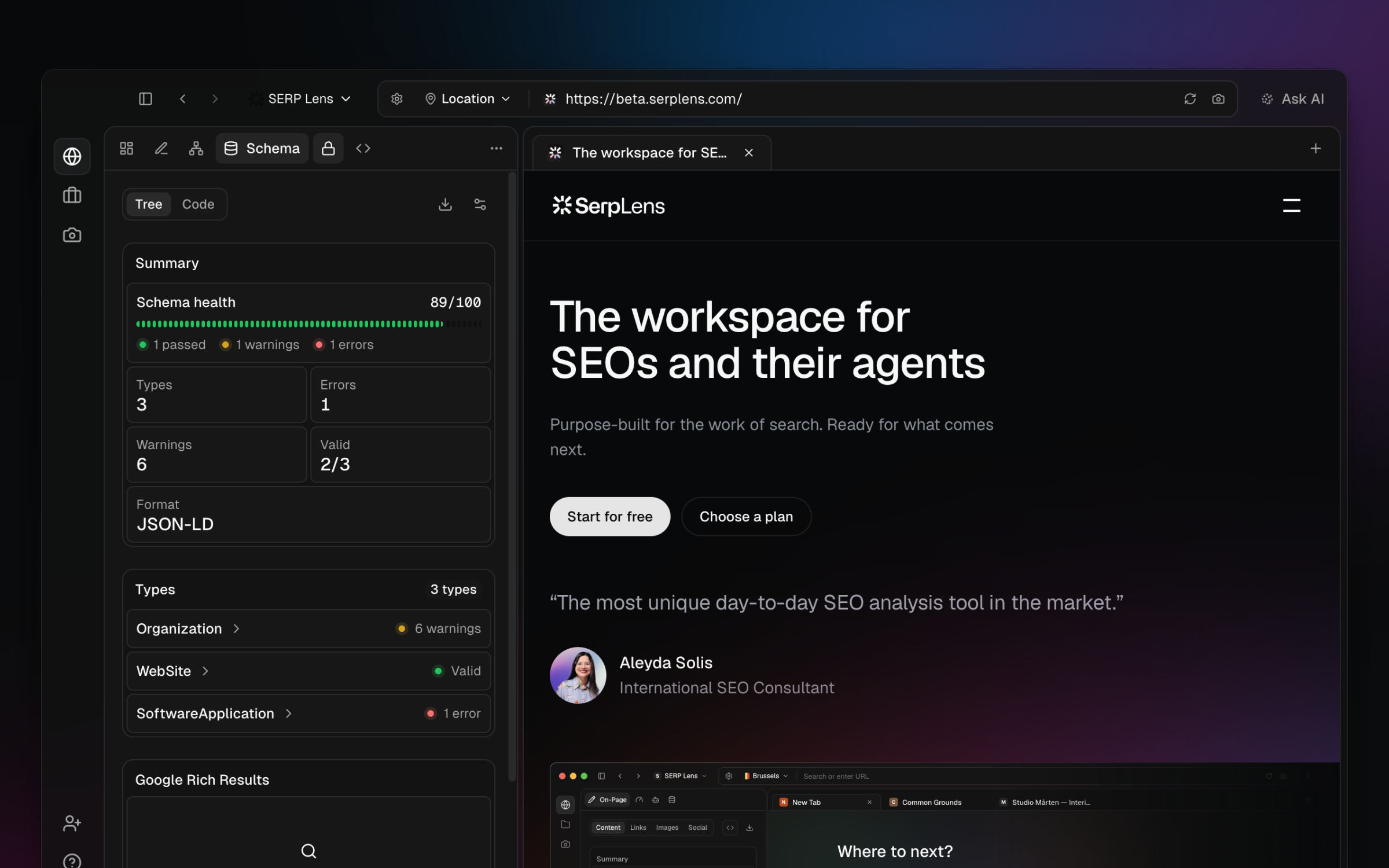
Inspect schema
- Grouped items — expand the schema groups and entities detected on the page.
- Tree view — inspect nested properties without reading the complete source block.
- Code view — review the serialized markup for the selected item.
- Links — open supported URL values from the displayed data.
- CSV export — export the fields currently available to the panel.
Validation
The panel can combine local validation with the available Google Rich Results Test and Google Search Console data. These sources answer different questions:
- Local validation — reports issues SERP Lens can derive from the loaded markup.
- Rich Results Test — checks Google's supported rich-result eligibility for the tested page or markup.
- Search Console — shows relevant property data when a matching account is connected.
A schema can be syntactically valid without qualifying for a Google rich result. Read the source attached to each result before changing the markup.