Indexing
Check a page's indexability, robots directives, canonical URL, hreflang, sitemap, and connected Search Console signals.
Open Indexability → Indexing to review the signals SERP Lens can derive for the active page. A connected Google Search Console property can add Google's selected canonical and inspection data.
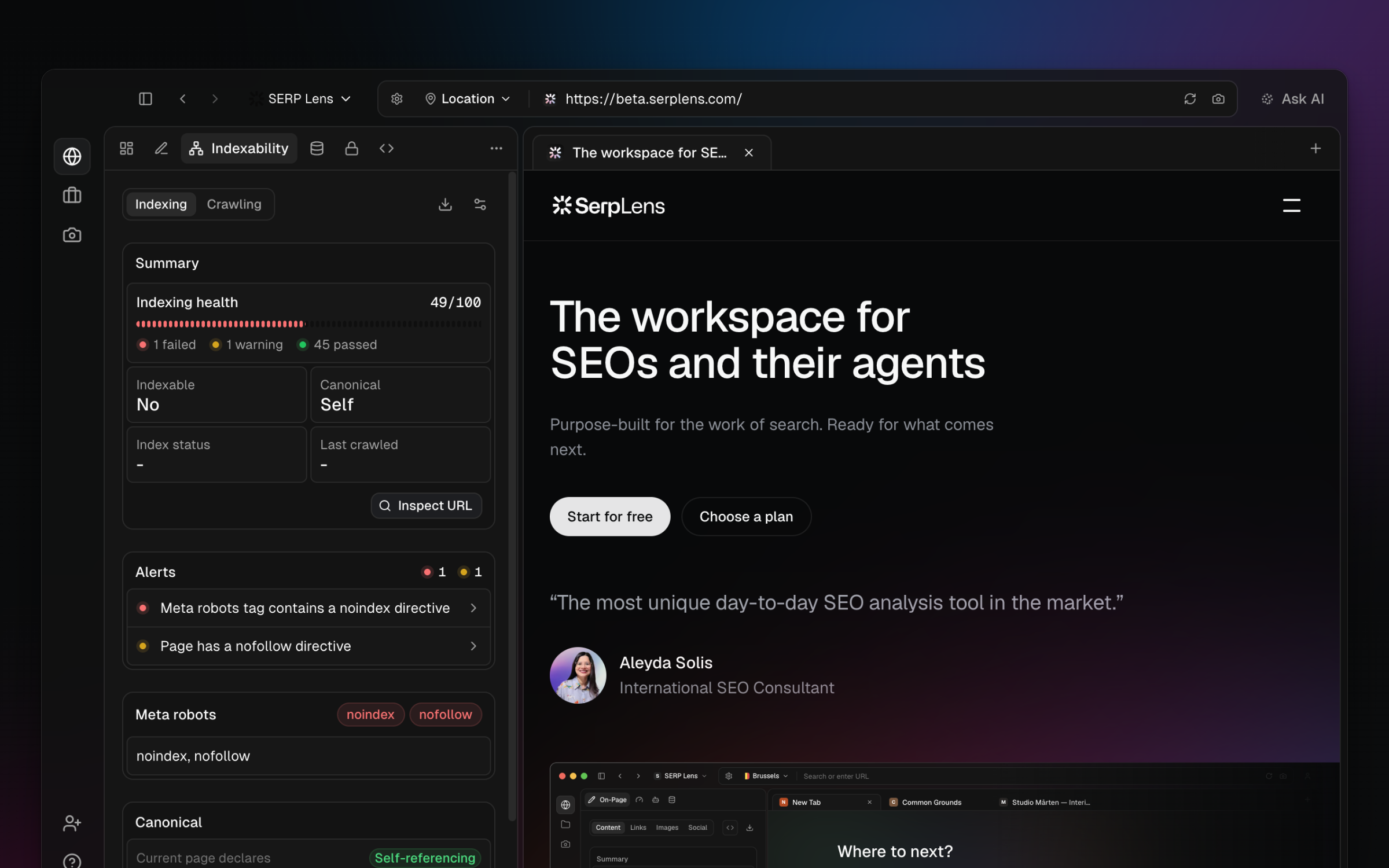
What it shows
URL and indexability
- The page URL
- An indexability status — whether the page is likely to be indexed based on all signals
Meta robots
All robots directives found on the page, including:
index/noindexfollow/nofollownoarchive,nosnippet,max-snippet, and others
The panel reads directives from both <meta name="robots"> tags and X-Robots-Tag HTTP headers.
Canonical URL
- The canonical URL declared on the page
- Whether it's self-referencing (points to itself) or points to a different URL
- Flags mismatches between the page URL and canonical — a common source of indexing issues
Robots.txt
- Whether a
robots.txtfile exists on the domain - A direct link to view the
robots.txtfile
Hreflang tags
A table of all hreflang tags found on the page:
| Language code | URL |
|---|---|
en-us | https://example.com/page |
de-de | https://example.com/de/page |
Expand the list when it contains many entries, then compare the language and region targets with the page's intended audience.
Sitemaps
Auto-discovers sitemaps from:
robots.txtsitemap references- Common sitemap locations (
/sitemap.xml,/sitemap_index.xml)
The panel shows sitemap results that were available to the analysis. A partial or failed lookup is not proof that the site has no sitemap.
Search Console comparison
When a matching Search Console property is connected, compare the page canonical with Google's selected canonical and review the available inspection state. See Google Search Console for connection and property selection.
Export
Click the export button to download the indexing data as a CSV for your audit records.