Images
Review image totals, alt text, rendered dimensions, oversizing, and lazy-loading signals.
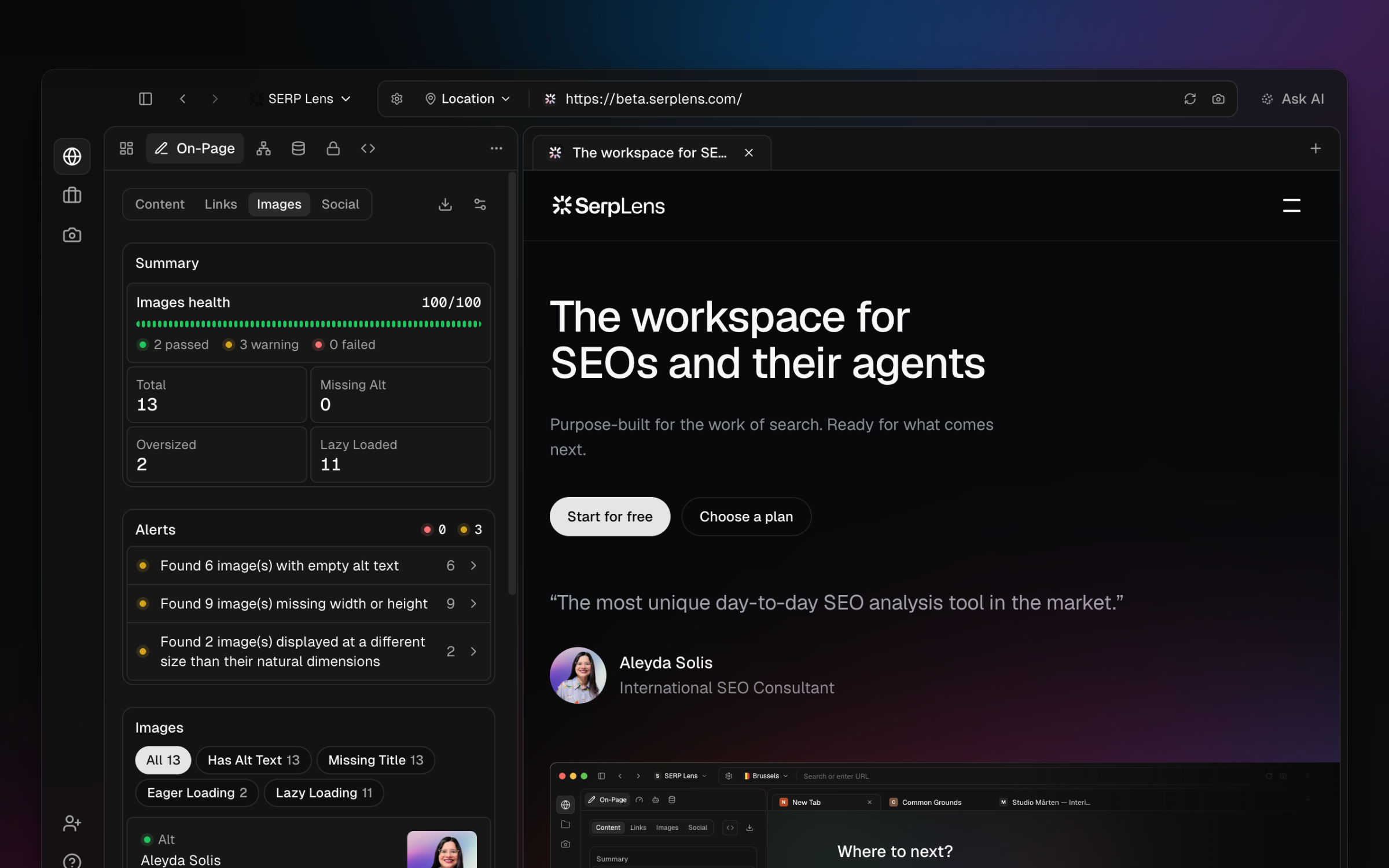
Open On-Page → Images for the active page. The summary shows total images, missing alt text, oversized images, and lazy-loaded images.
Image rows
Each row can show the image source, alt-text state, intrinsic and displayed dimensions, and loading behavior. Use the filters to narrow the list by summary state or title status.
Oversized images
The current panel flags an image when its intrinsic dimensions are materially larger than its displayed dimensions. This is a dimension mismatch, not a fixed file-size threshold.
Use Page Speed to review network resource weight when byte size and transfer cost are the question.
Alt text
- Meaningful image — provide alt text that describes its purpose in context.
- Decorative image — use an empty alt attribute when assistive technology should ignore it.
- Missing attribute — review whether the image is meaningful before choosing a value.
The panel reports the markup. It cannot decide whether the wording is useful for the page's audience.