SERP features
Understand how SERP Lens records, groups, highlights, and exports supported search-result features.
SERP feature coverage is catalog-driven. Features can be added, renamed, disabled, or limited to a particular data source without requiring a desktop-app release.
Browser SERP panel
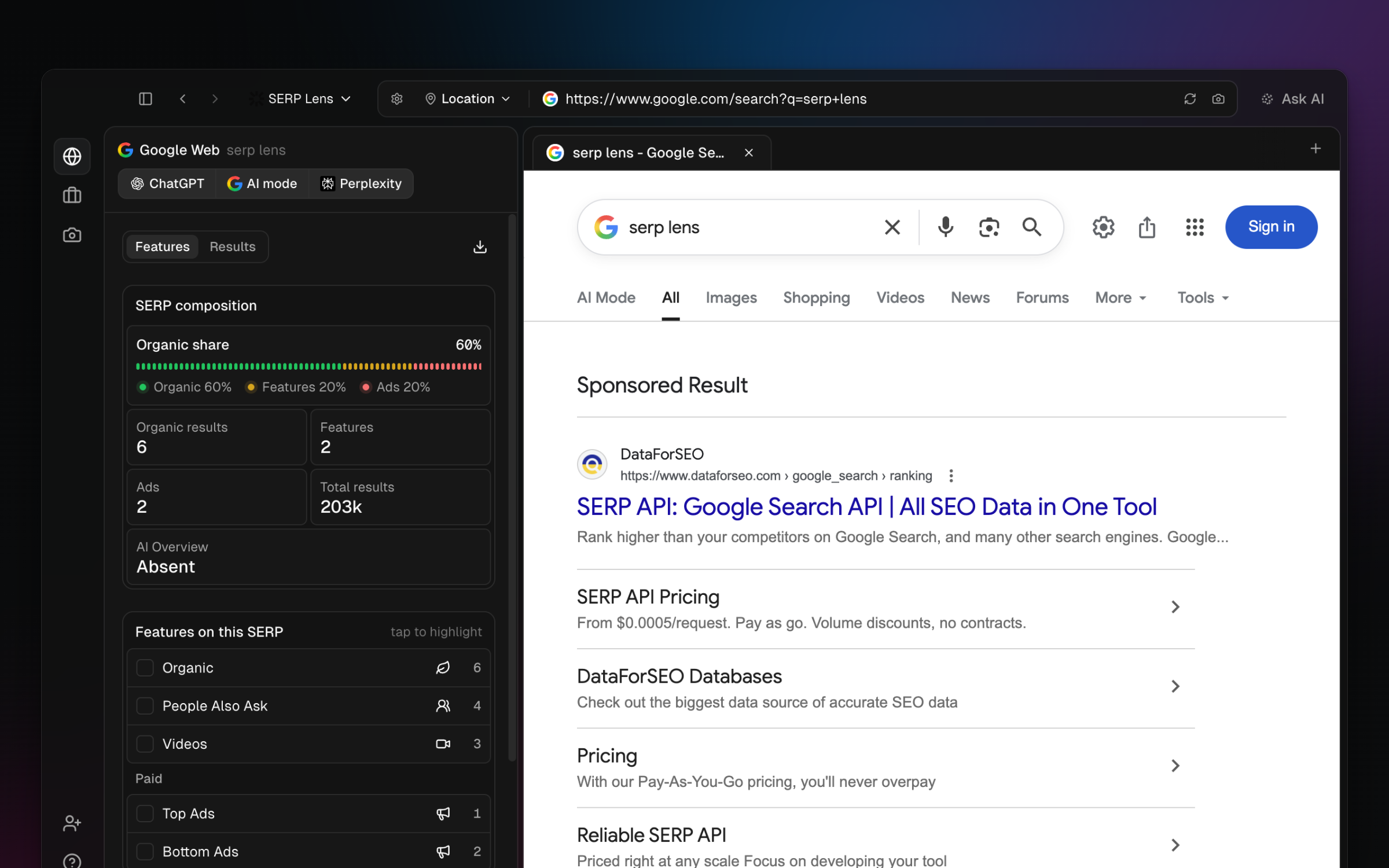
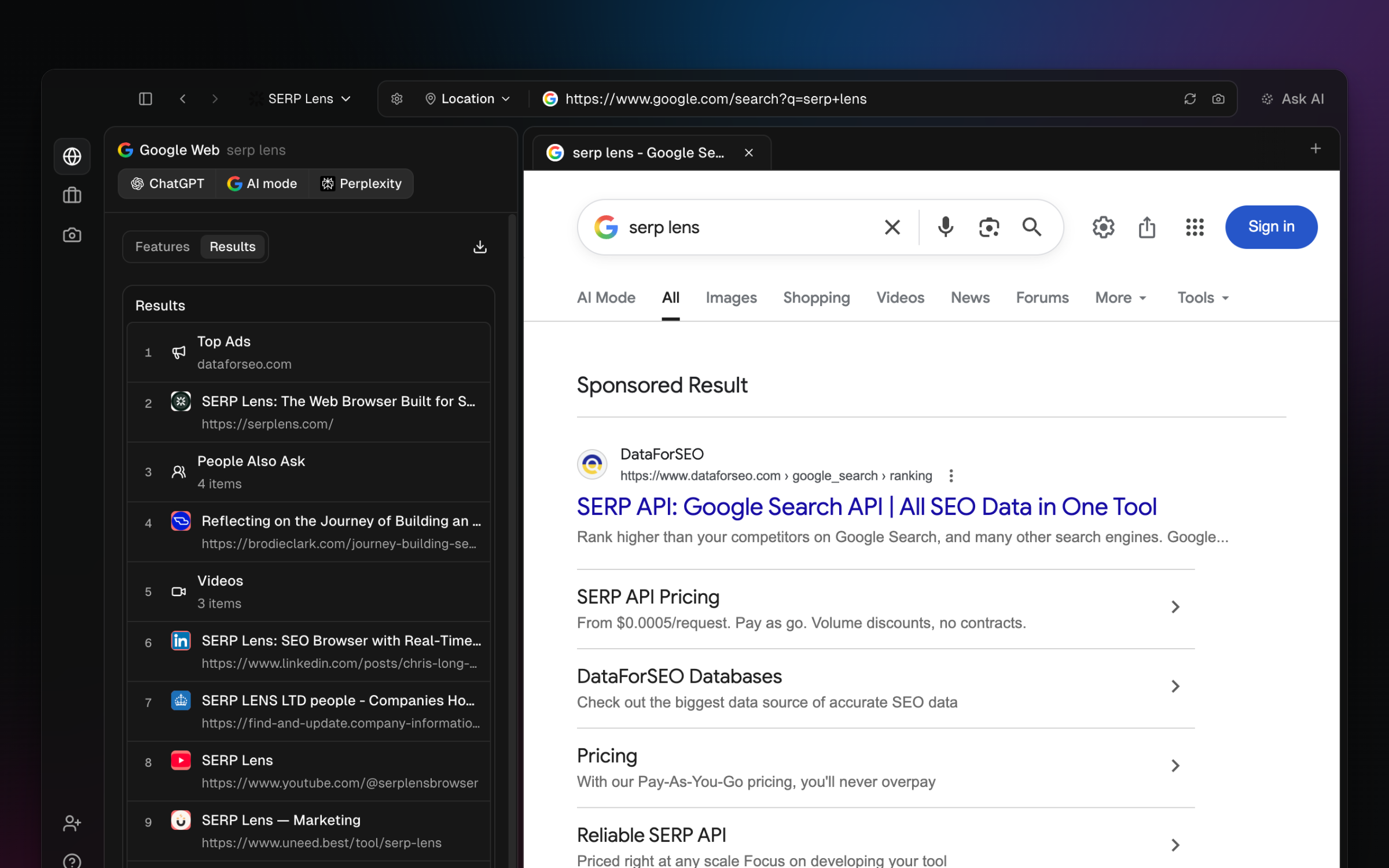
On a supported search-result page, open SERP in the content panel. The panel separates:
- Features — detected feature groups in page order.
- Results — extracted result rows for the active SERP.
Use the available highlight action to locate a detected item on the page. Export uses the data currently extracted by the panel.
Rank tracking and SERP Compare
Tracked snapshots can include feature values supplied with the ranking result. SERP Compare shows differences between the feature sets stored for the 2 selected snapshots.
The browser and rank-tracking pipelines can expose different feature lists. Read the labels in the current view rather than assuming the 2 lists match or contain a fixed number of features.
Interpreting features
A recorded feature describes the result page that SERP Lens observed. It does not by itself measure clicks, ownership, or whether the feature was visible to every searcher. Check the saved location, device, language, and date before comparing 2 observations.