AI agent
Ask the SERP Lens agent about open pages, follow its tool activity, and control each task.
Open the AI panel from the browser topbar. The agent can use the tabs and tools you make available to answer a question or carry out a task. AI chat is available on paid plans; the panel shows an upgrade action when the active team does not have access.
Start a chat
- Open a page you want to inspect.
- Open the AI panel.
- Add the current tab or other open tabs as context.
- Enter a specific task, then send the prompt.
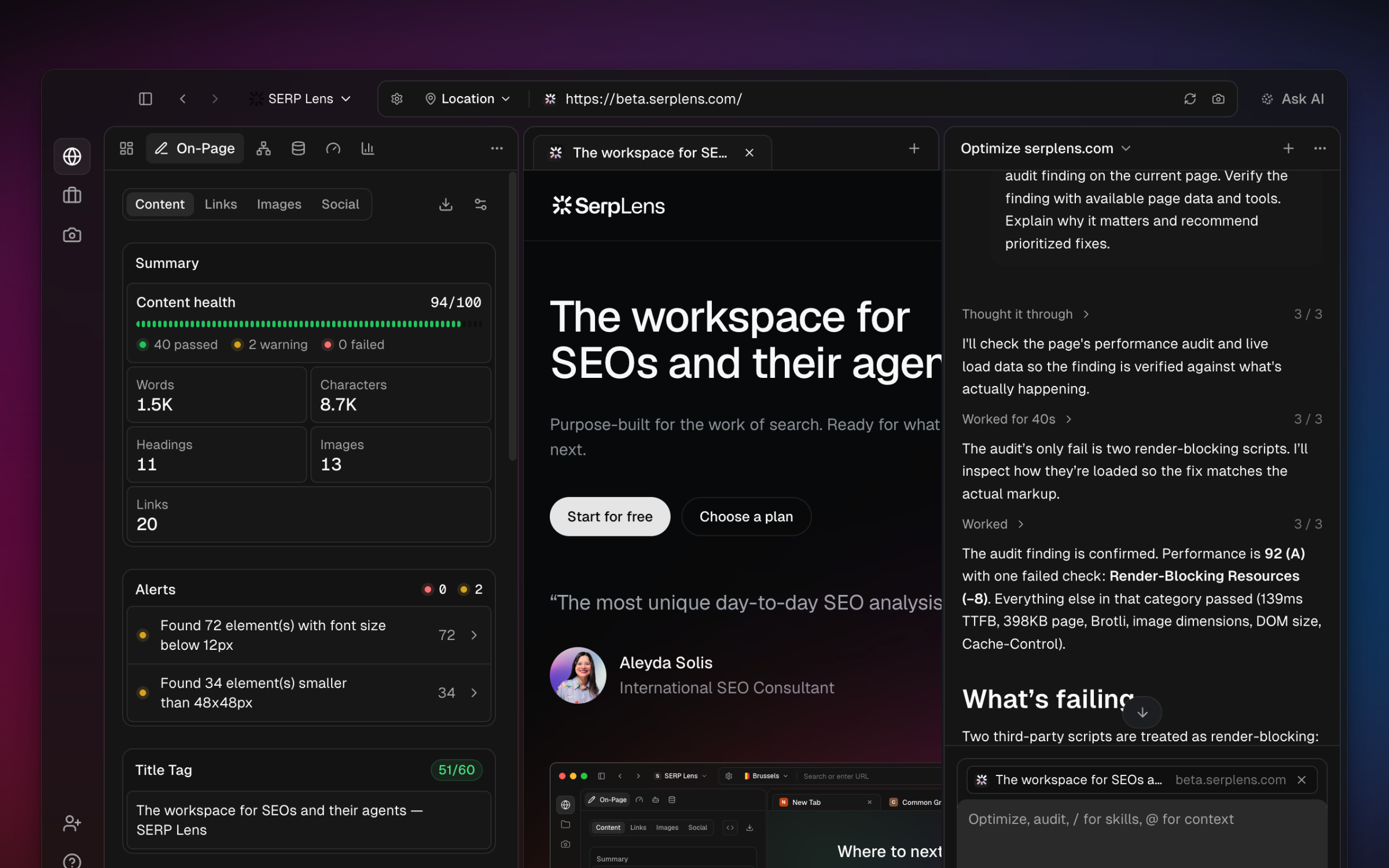
The context control shows which tabs are attached and which tab is primary. Remove a tab before sending if its contents should not be part of the task.
Models and reasoning
The model picker shows the models available to the active team and their credit use. Some models also offer a reasoning-effort control.
Tool activity
When a task uses tools, the panel shows the activity and task plan as it runs. Approval cards stop before an action that needs your decision. You can stop the current response while it is running.
Skills and connections
- Skills — reusable instructions and starter prompts that you can invoke from the composer.
- SERP Lens tools — browser and SEO actions supplied by the app.
- MCP connections — tools discovered from a local command or remote MCP server.
Review AI permissions before allowing browser changes, JavaScript execution, or a third-party tool to run without asking.
Usage
AI work uses the active team's AI balance. Open Settings → Billing to see available paid and promotional AI credits and any billing actions offered to the team.